Track the game. Then understand it.
The flagship of the Coaches Box line. Log a shot in three taps, watch the box score build itself, and walk away with a report that tells you which shots you should stop taking.
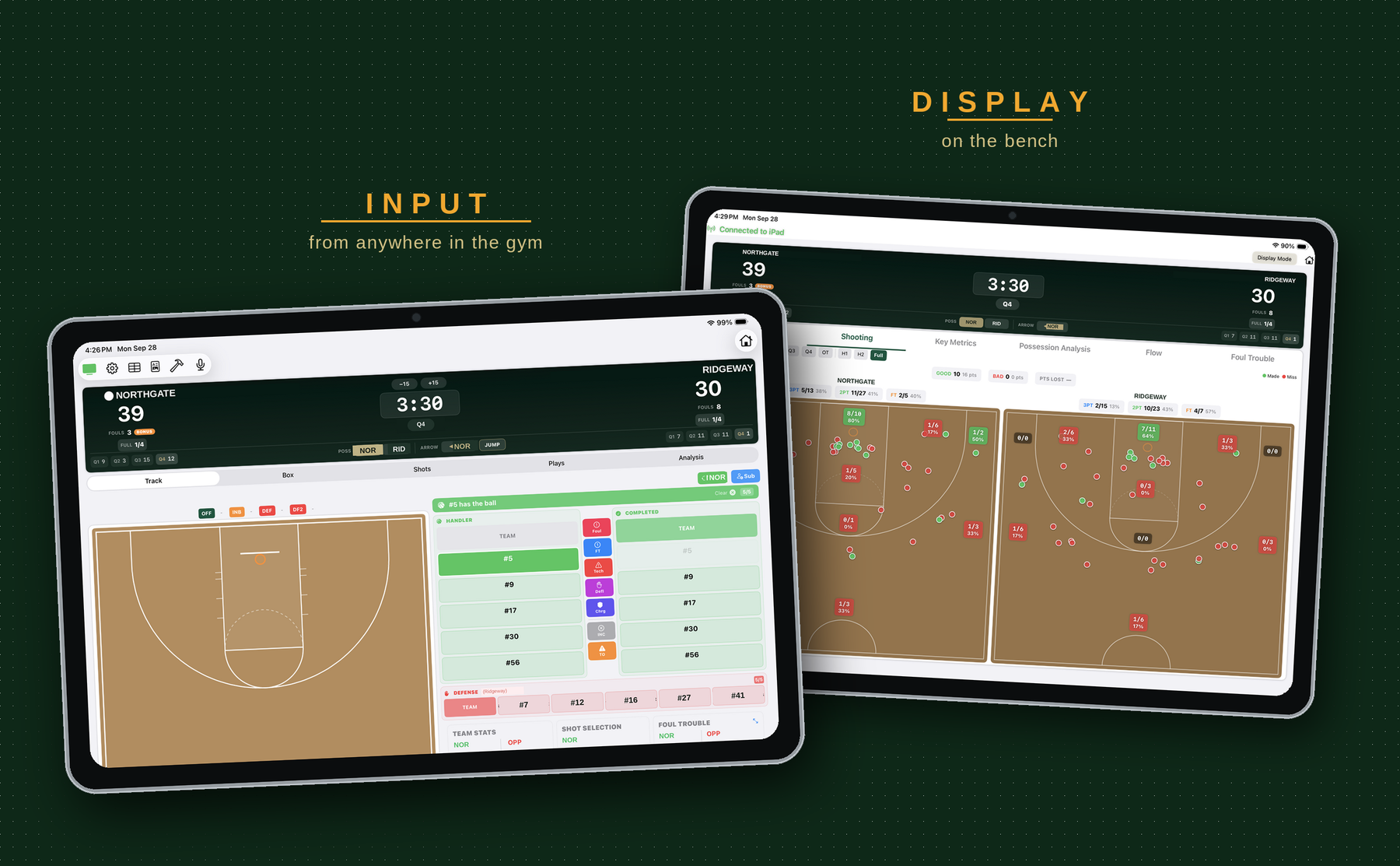
assets/basketball-hero.pngTrack
One screen, eight jobs, with your thumbs and your voice.
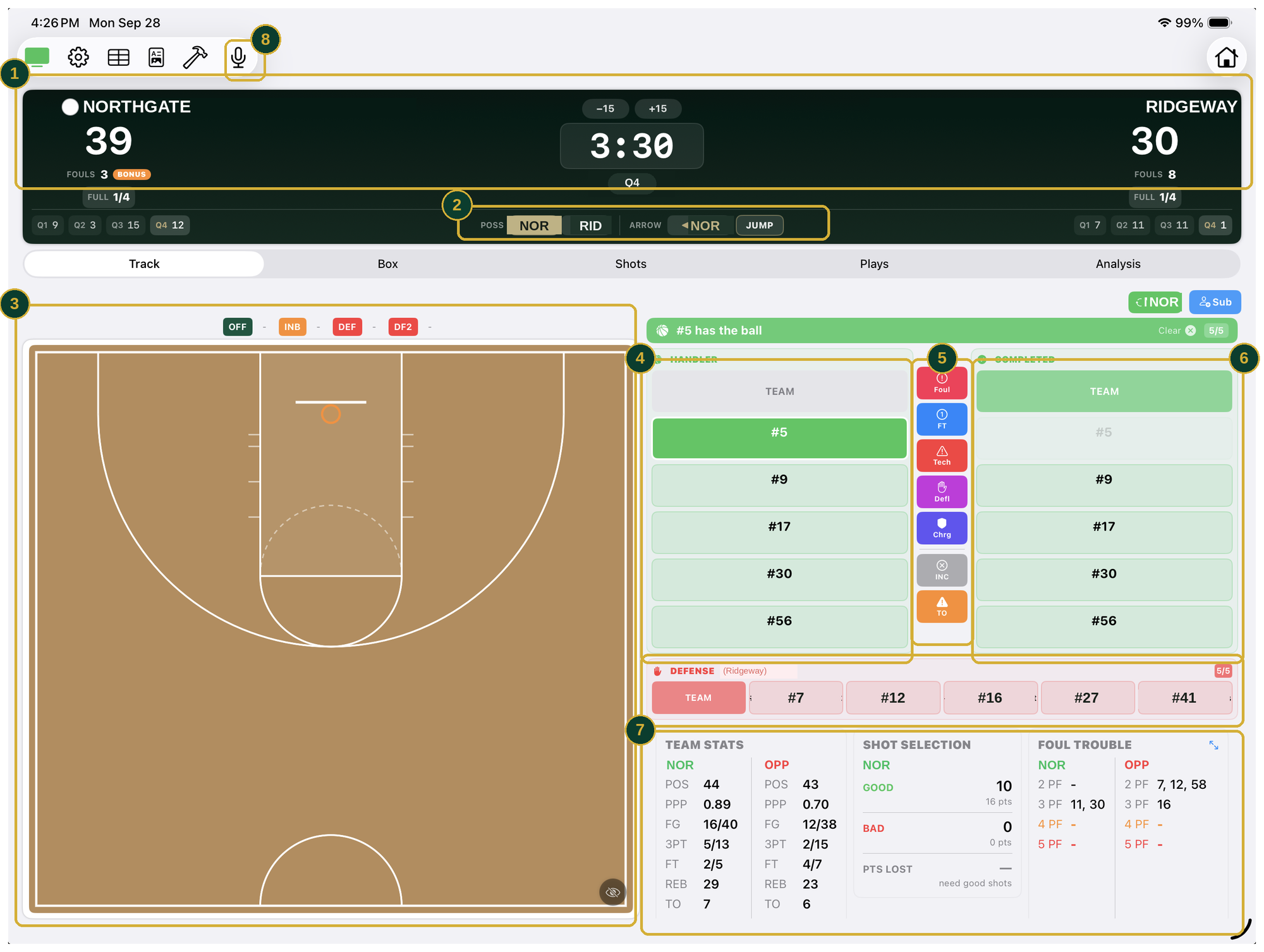
assets/feature-live-track.png- 1
THE GAME STATE, KEPT FOR YOU
Score by quarter, team fouls, the bonus, and timeouts remaining — maintained while you track, so nobody is also keeping a paper book.
- 2
POSSESSION AND THE ARROW
The alternating-possession arrow and the jump-ball button, right where the argument happens. The thing every scorer forgets, remembered for you.
- 3
TAP THE FLOOR
Mark where the shot went up and the app already knows the rest: #5 has the ball, so he is the shooter, and it remembers who passed it to him, so the assist is waiting too.
- 4
YOUR FIVE
Who is on the floor, with substitutions in two taps. Only players actually in the game can be credited with anything.
- 5
EVERYTHING ELSE THAT HAPPENS
Foul, free throw, technical, deflection, charge drawn, turnover. The hustle stats sit beside the scoring ones instead of on another screen.
- 6
THE NEXT TOUCH
One tap on the teammate the pass went to, or the defender who took it away. That chain is what lets the app hand you the assist in 3 without asking. Shots and rebounds come up as their own prompts.
- 7
ANSWERS WHILE IT MATTERS
Possessions and points per possession, shot selection with points lost, and both benches’ foul trouble — live, without leaving the tracking screen.
- 8
CALL IT OUT LOUD
Voice commands keep your eyes on the floor instead of the iPad, which matters most in the stretches where the game is moving fastest.
Decide
Answers while you can still use them — on the bench iPad, not yours.
- Foul trouble at a glance. Who’s at three, who’s at four, both benches, always on screen.
- Possessions and points per possession. Live, both teams — the numbers college staffs use, without the staff.
- Lineup plus-minus while it still matters. Which five are winning their minutes, sorted by plus-minus, minutes, or per minute.
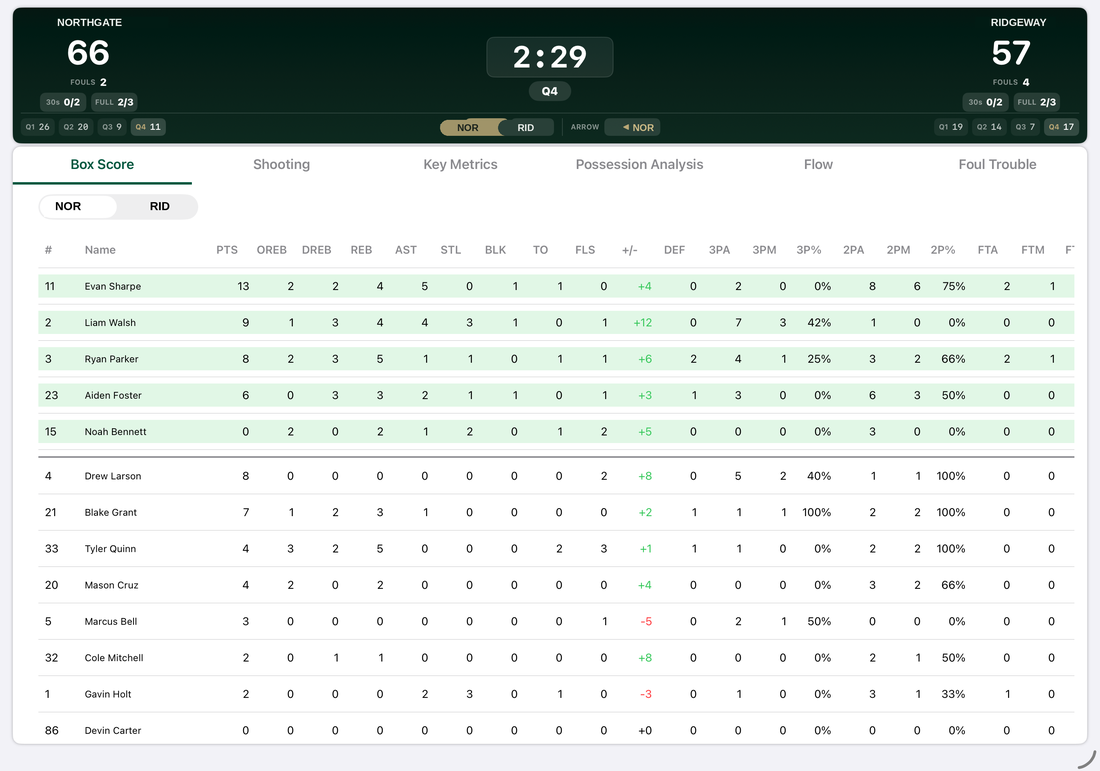
- A box score that never stops. Full team and individual lines building themselves while the ball is in play.
- Read-only on the bench. An assistant flips tabs and filters charts without touching what you are tracking.
- No wifi needed. The two iPads talk to each other directly, which matters in gyms that have none.
assets/basketball-display-box.png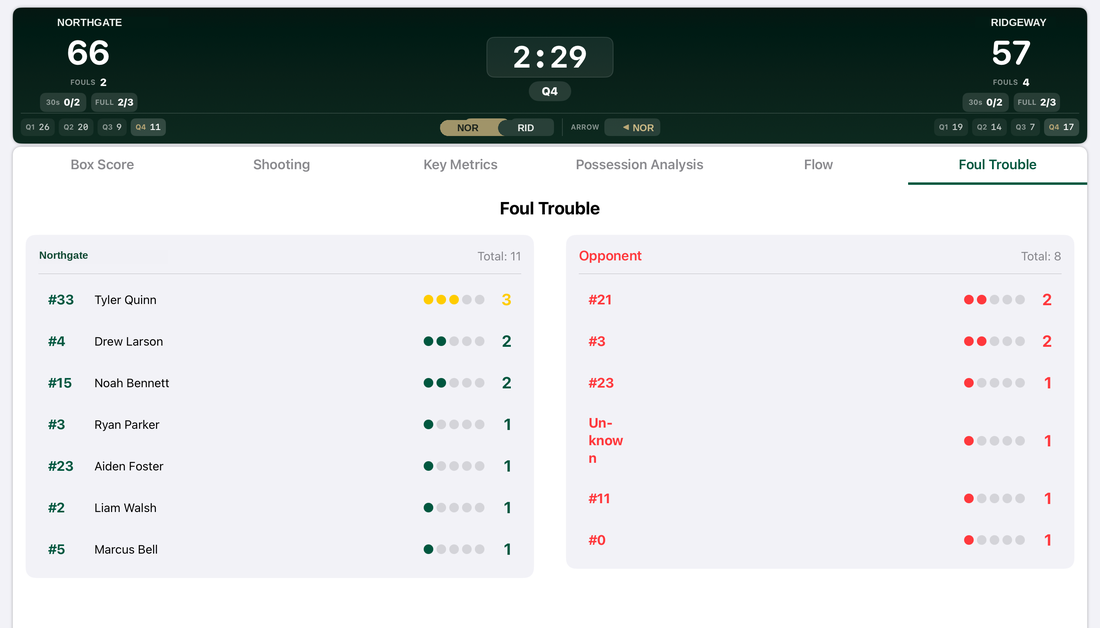
assets/basketball-display-fouls.png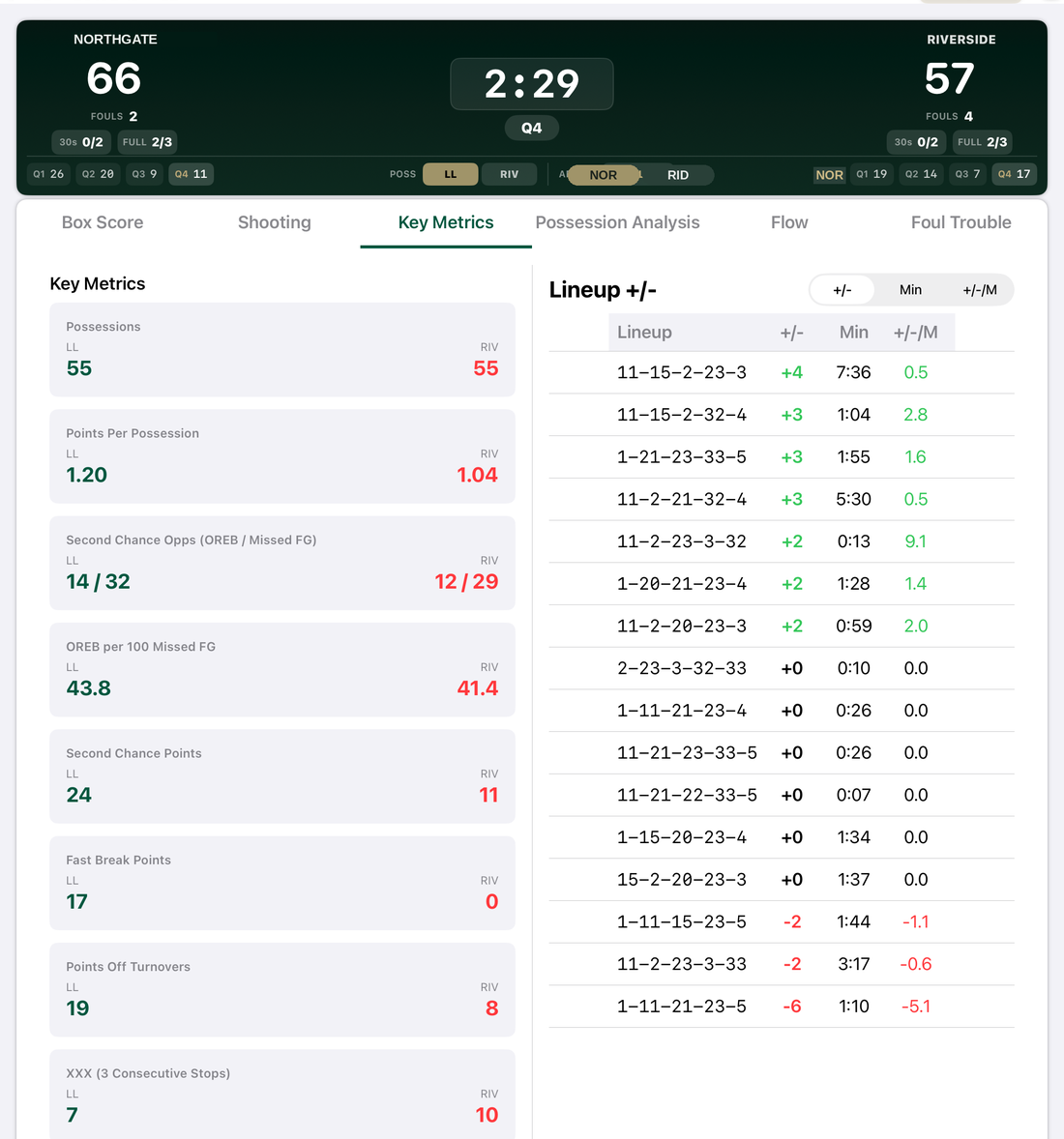
assets/basketball-display-metrics.pngAnalyze
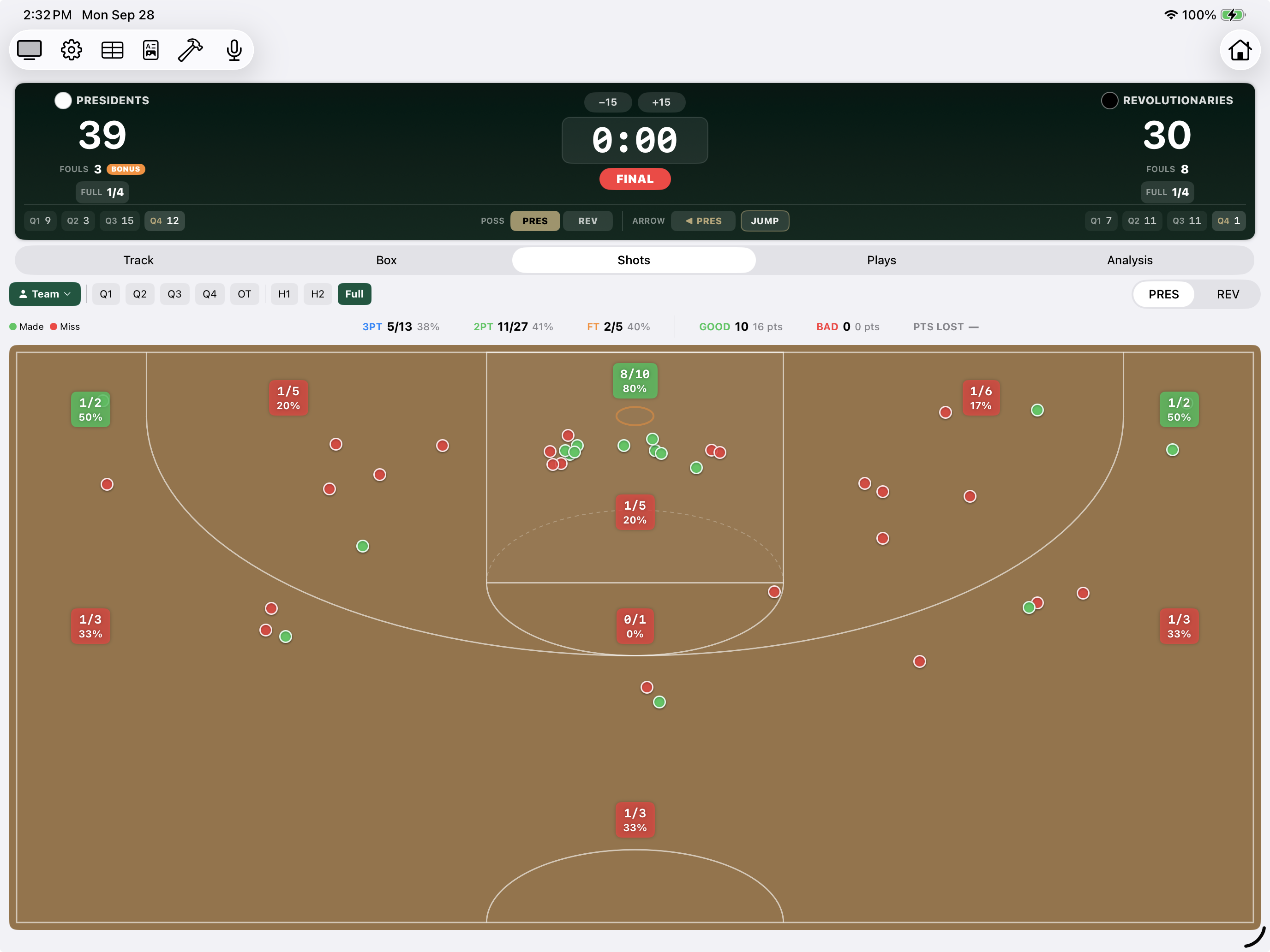
The chart that grades the shot, not just the result.
- Zone by zone. Makes, misses, and a percentage on every area of the floor, filterable by quarter, half, full game, team or one player.
- Good shots and bad shots. The app separates them and totals the points your offense gave away on shot selection. Nobody else does this.
- Half court versus transition. Tagged on every attempt, so you can finally answer which offense is actually working.
- Hustle in the box score. Deflections, charges drawn, and plus‑minus sitting next to points, because the kid who changes a game without scoring deserves a number too.
assets/feature-shot-chart.pngDevelop
One game is a story. A season is the truth.
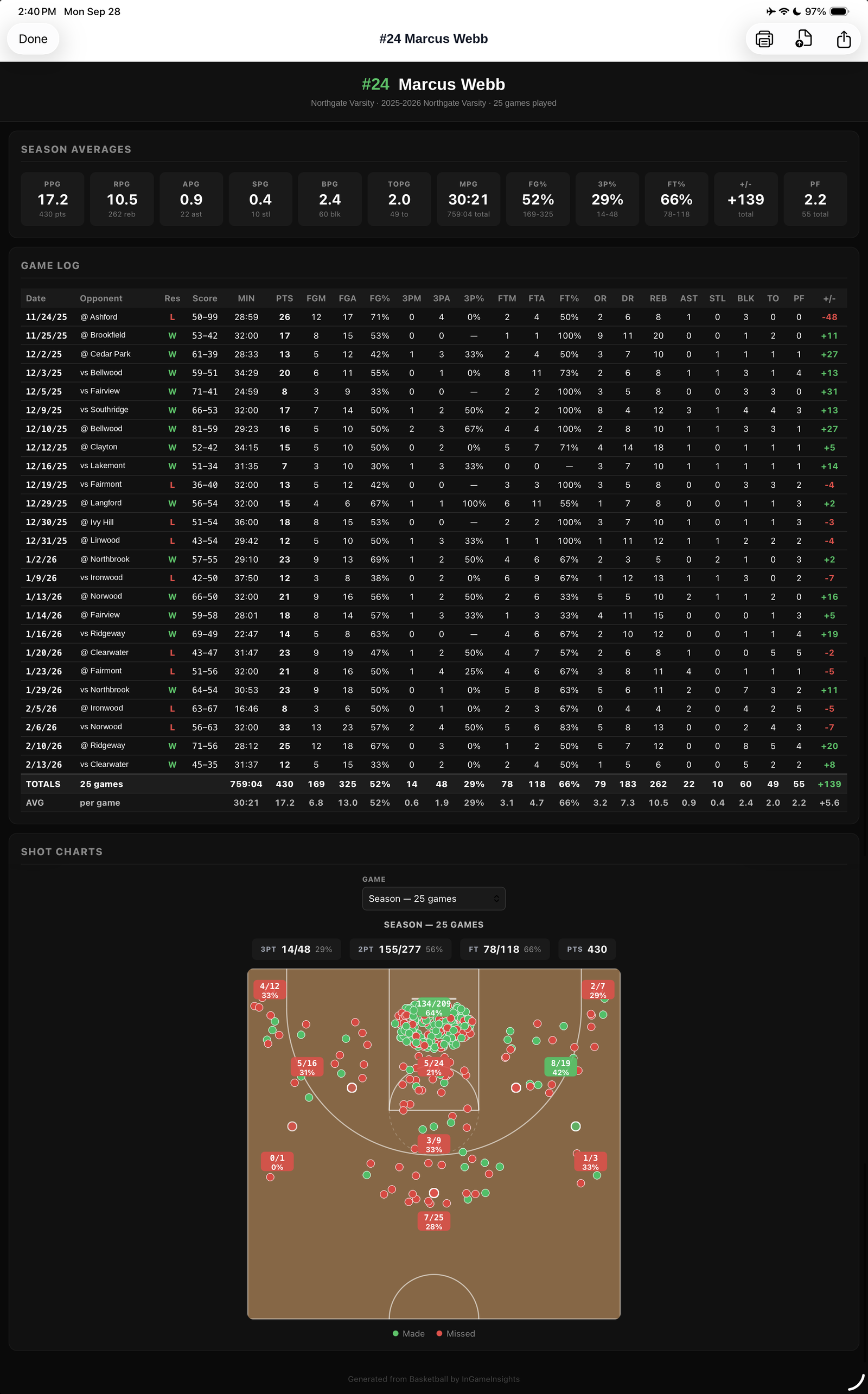
- Season rollups. Every tracked game folds into season totals and averages automatically. No re‑entry, no spreadsheet, no end‑of‑year scramble.
- Individual player reports. One page per player — season line, shooting map, trend across games.
- The pattern you’d never see in one night. The quarter you always fade in. The zone that’s been quietly killing your offense since December.
- Something a player will believe. Numbers about themselves land in a way a speech doesn’t — and they travel well to a college coach.
assets/feature-player-report.pngProven where it counts
Years of live games at every level, from middle school through varsity and across full tournament weekends.
Everything stays on your iPad
No accounts, no cloud sync, no signal needed — which matters, because the gyms where you need this most have neither bars nor guest wifi.
The small things that decide whether an app survives a season.
Roster once, use all season
Keep multiple teams if you coach more than one, with jersey numbers so every stat lands on the right player.
Voice aliases
Teach it the shortened names you actually shout, so it hears you the first time.
Shared jersey numbers
When both teams have a #10, the app tells you to say the color first rather than guessing.
Second-screen display
Mirror the scoreboard and live stats to an iPhone or a second iPad for the bench.
HTML and CSV reports
Share a readable report through the iOS share sheet, or take the raw numbers into your own spreadsheet.
Track without stopping
Check analytics or the full box score at any point without pausing the game.
Built by a coach who got tired of the clipboard.
Coaches Box Basketball has been through more seasons than we planned, at more levels than we expected, because every time we took it to a gym it came back with something to fix. Download it and take it to your next game.