Draw it. Animate it. Share it.
The play designer from the Coaches Box line. Draw a set in seconds, break it into steps, and watch it run — passes, screens, and the shot at the end. Then hand it to your staff as a file or to your players as a video.
assets/xos-ipad-catch-shoot.jpg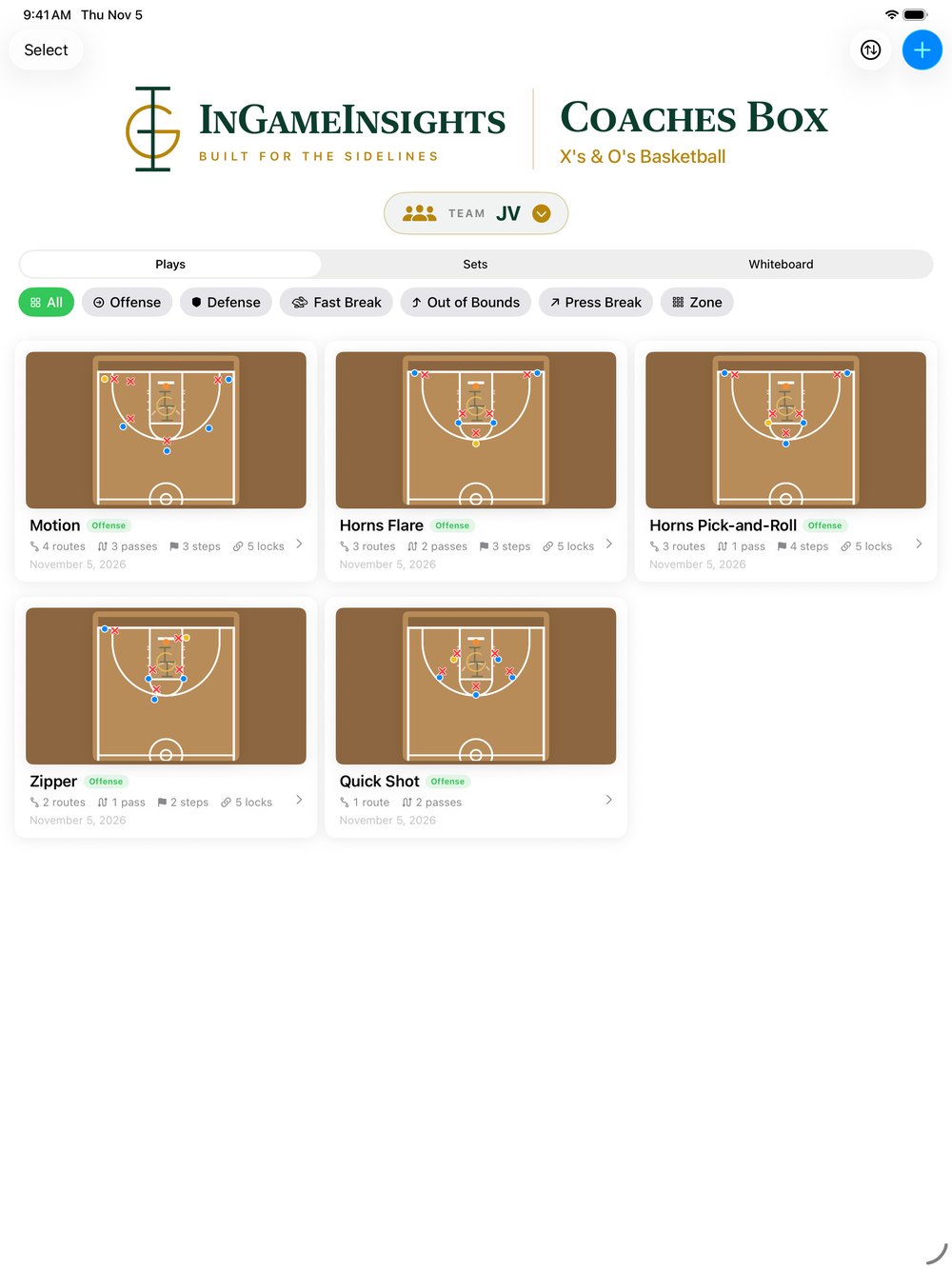
assets/xos-ipad-playbook.jpgDraw the Play
Tap a player. Drag. That's a route.
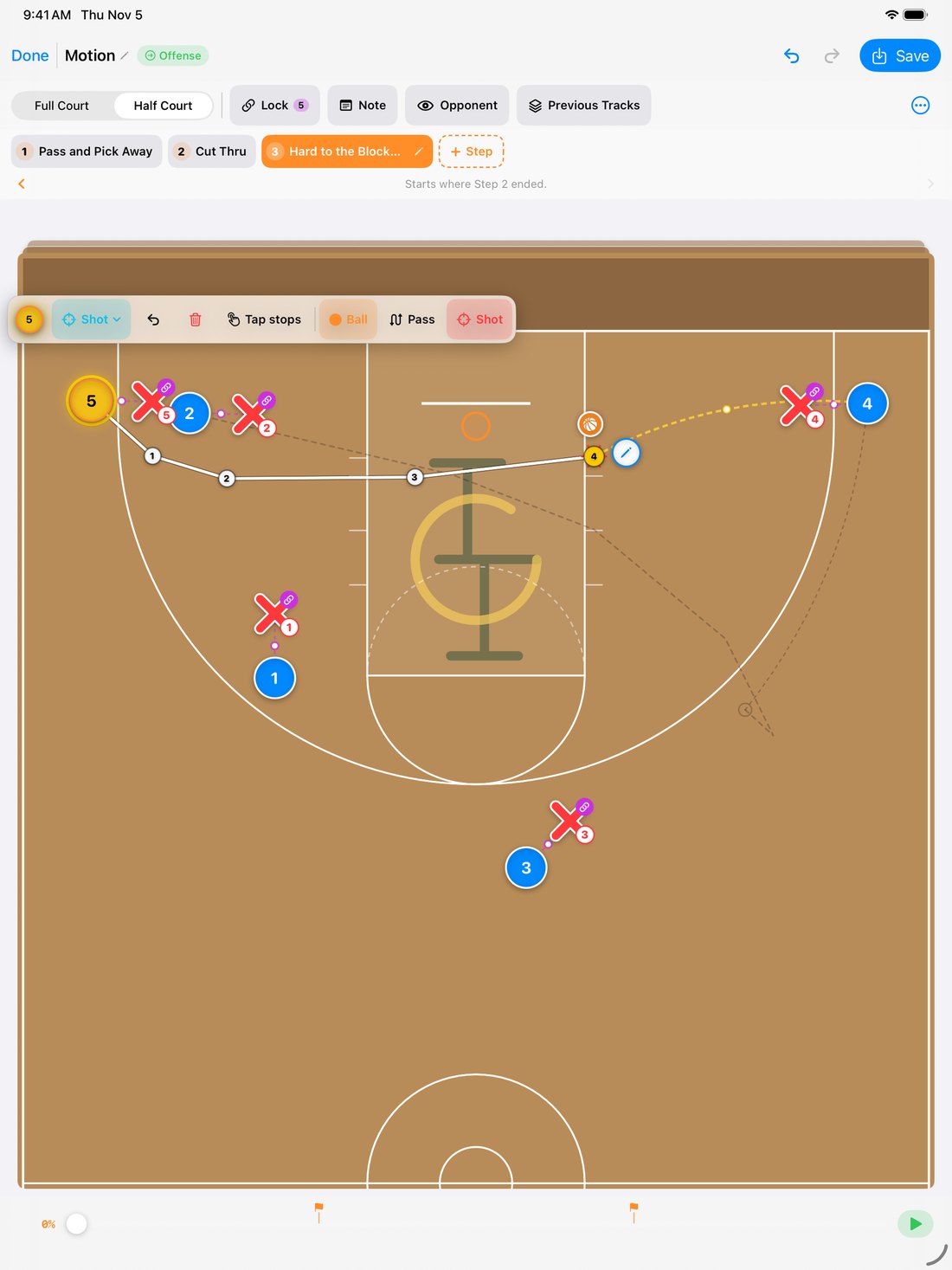
- Routes with a finger. Tap a player and drag the pencil to draw his route, or tap stops one at a time for exact spots. Arrows, cuts, screens, and stops each draw the way coaches draw them.
- The ball goes where you say. Drag the ball to a teammate to pass, or to a spot on his route to lead him. The receiver is picked up automatically, ready for the next action.
- The shot, too. Only the ball handler can shoot — at the end of his route, or catch-and-shoot right where he stands.
- Defense that follows its man. Lock each defender to his man and he shadows him through the whole play. Show or hide the defense with one tap.
- Start from a set. Zones and presses come built in — 2-3, 1-3-1, box-and-1, 2-2-1 and more — along with starter plays like Horns Flare and Zipper. Save your own formations as sets, too. Full court or half court, whichever the play needs.
assets/xos-ipad-draw.jpgAnimate in Steps
Teach it the way you'd walk it through.
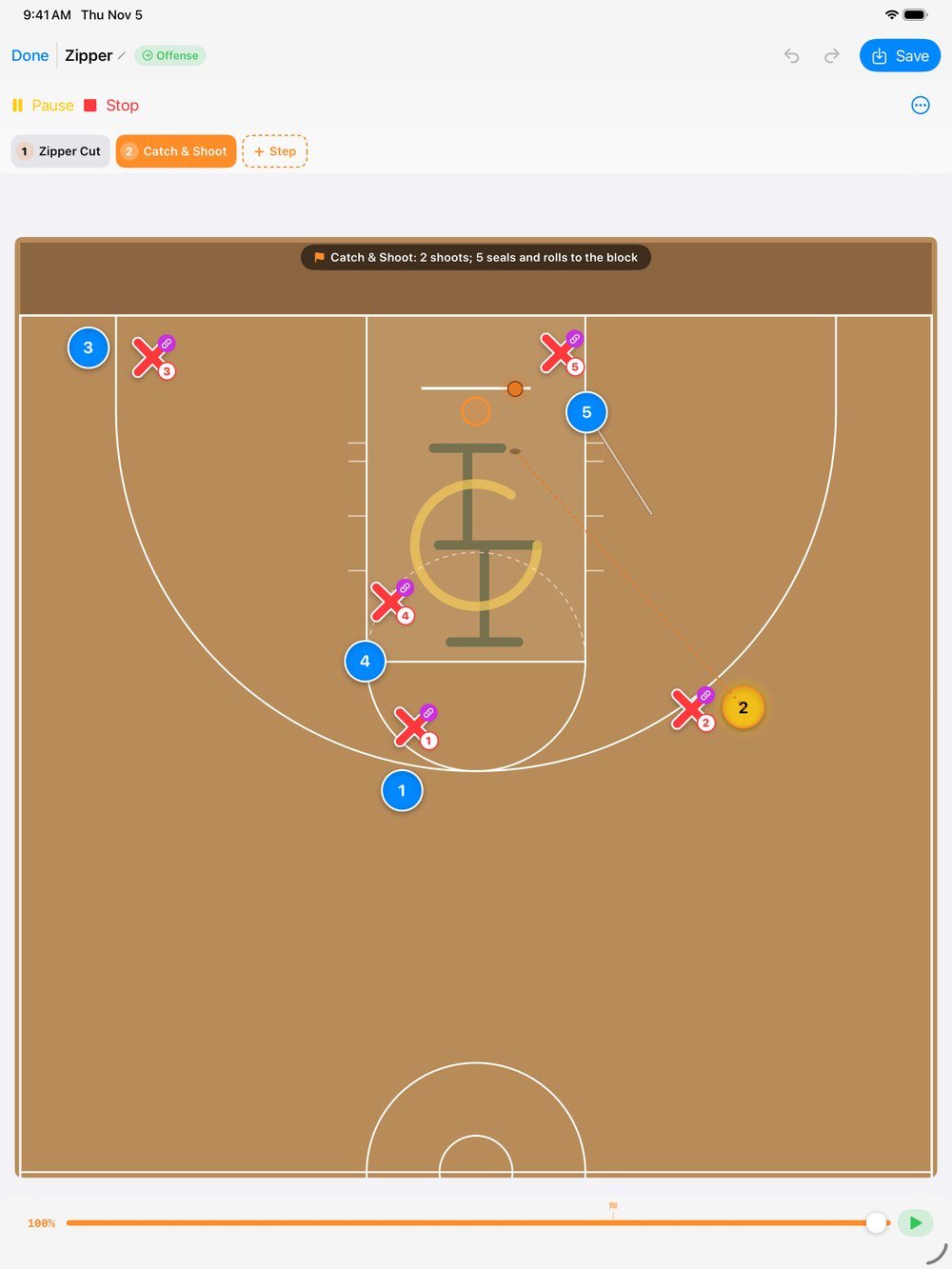
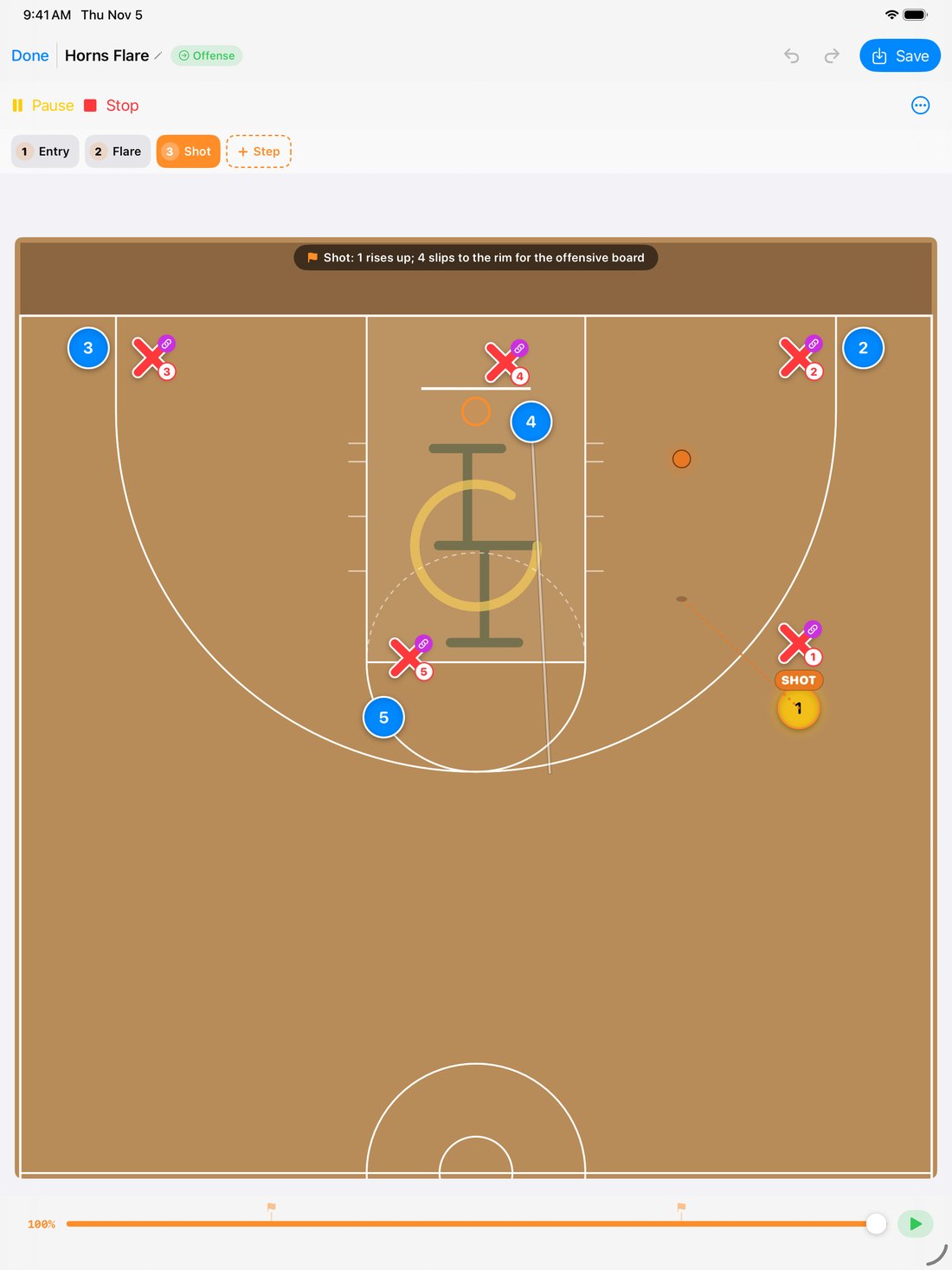
- Break it into steps. Entry, flare, shot — each step gets a name and a line of coaching, shown above the court while the play runs.
- Watch it run. Play, pause, or scrub to any moment. Passes fly, screens set, and the shot arcs to the rim with its own finish.
- See where everyone came from. Faint tracks from the previous step keep the spacing readable as the play unfolds.
- Export a video. Landscape for full court, portrait for half court — sized for a team group chat or a film session.
- Share the play itself. Send a play, a set, or a whole playbook to another coach by AirDrop, Messages, or Mail. Opening a play someone sends you is always free.
assets/xos-ipad-shot.jpgA Playbook per Team
Varsity, JV, and your summer team — kept apart.
- Every team, its own playbook. Switch teams from the top of the home screen. Copy a play from varsity to JV, or move a few at once.
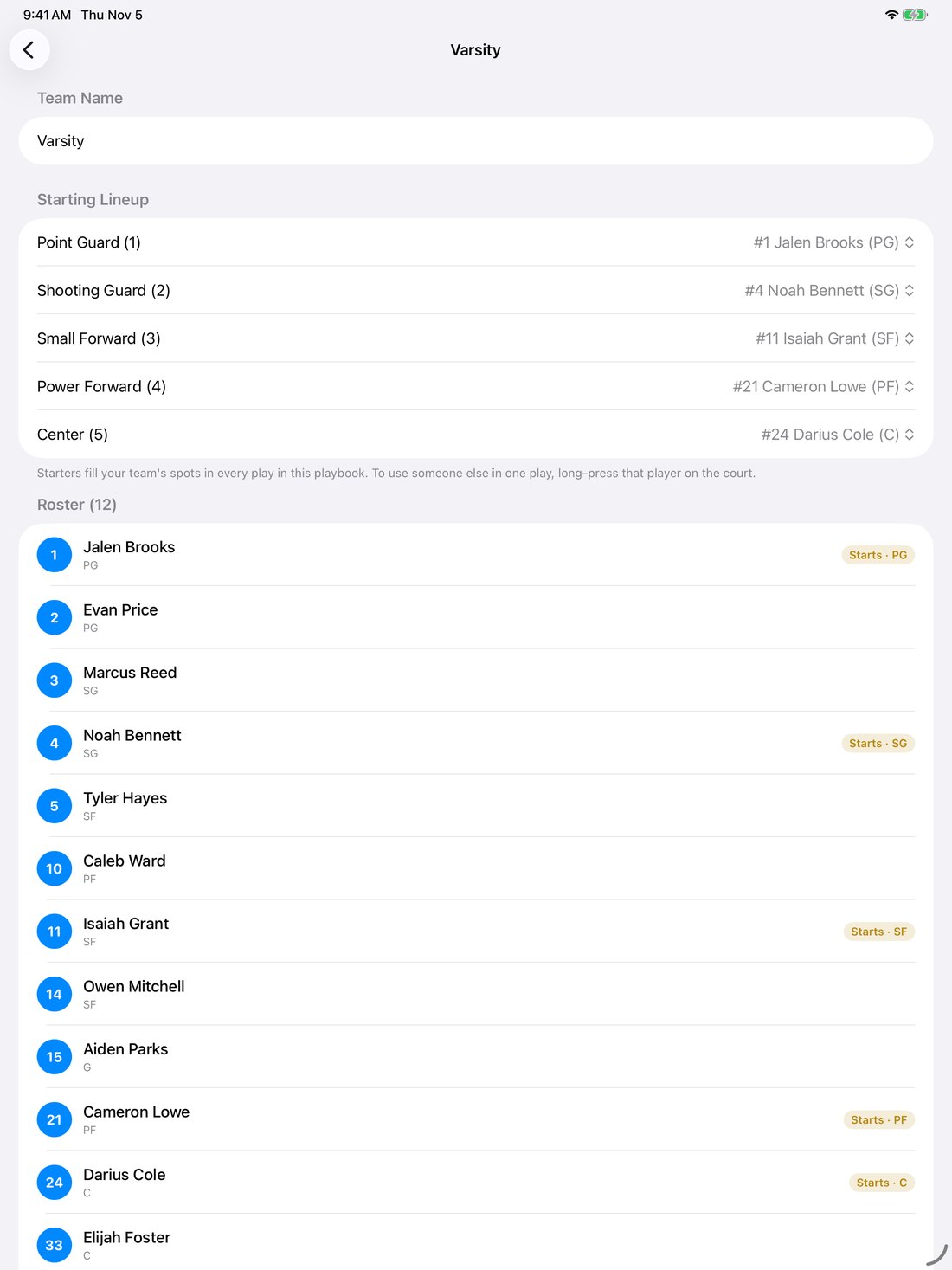
- Rosters in a minute. Type a number and a name and press Return, or import the whole roster from a photo or screenshot. Text recognition runs on the device; nothing is uploaded.
- Your starters on every play. Set a starting lineup and your players fill the spots in every play automatically. Swap in someone else for a single play with a long press.
- Numbers your way. Show jersey numbers, initials, or plain 1 through 5.
- Find it fast. Filter by offense, defense, fast break, out of bounds, press break, or zone, or just search by name.
assets/xos-ipad-team.jpgSideline Whiteboard
For the timeout, when there's no time to build a play.
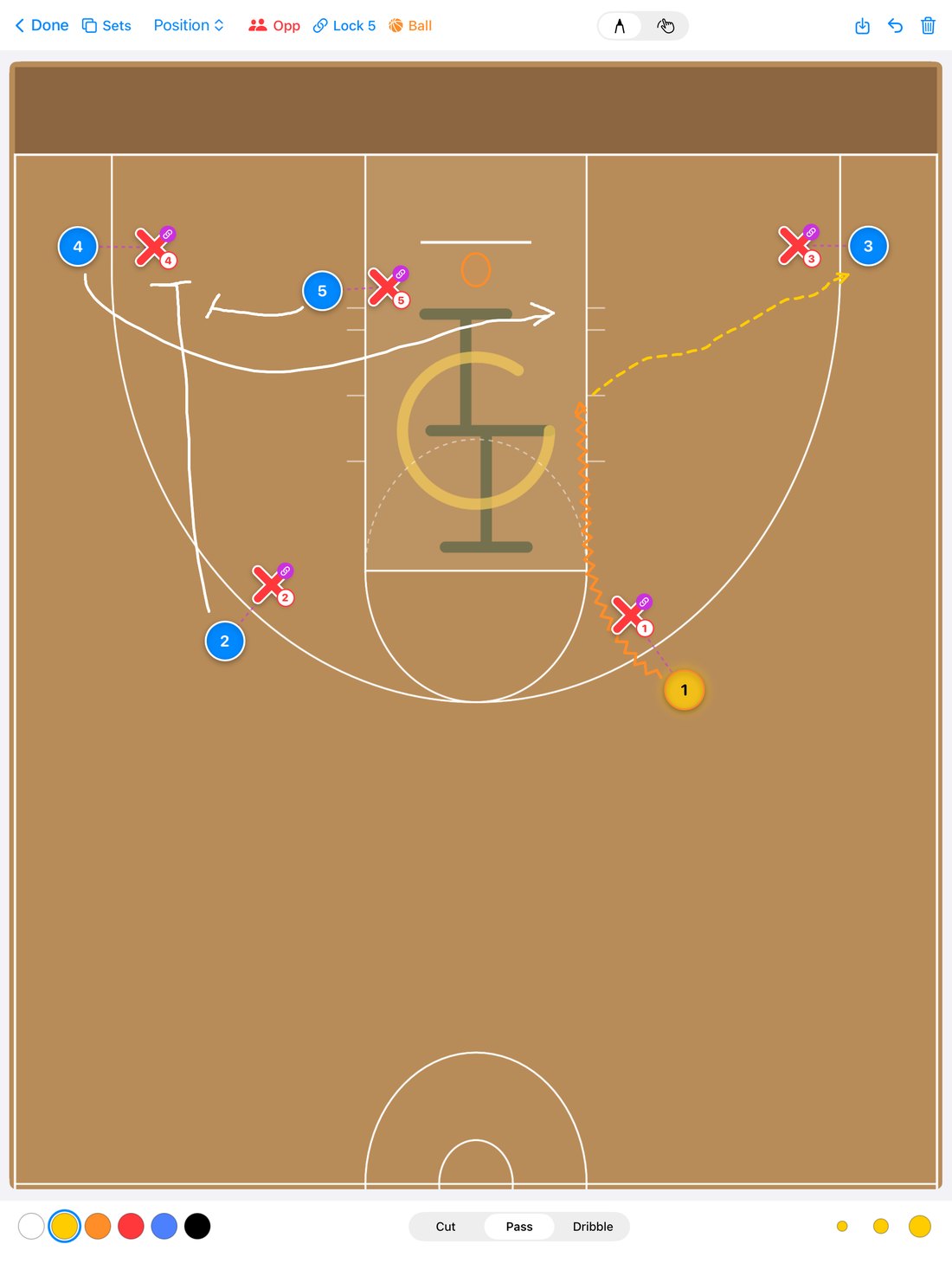
- Draw like a dry-erase board. Pick Cut, Pass, or Dribble and the line draws solid, dashed, or zigzag — with the arrowhead added for you.
- Players you can move. Drag the X's and O's anywhere. Lock the defense to their men and they follow along.
- Mark the ball. One tap shows who starts with it.
- Start from a set. Load any saved set, sketch the adjustment, and save the board for later.
- Best with Apple Pencil. Full court or half court, on the biggest screen on your bench.
assets/xos-whiteboard.jpgFrom the whiteboard to the film session
Sketch
Rough it out on the whiteboard
Draw
Build it from a set, step by step
Animate
Watch it run, fix the spacing
Install
Walk it through at practice
Share
Video to players, file to staff
Adjust
Tweak it for next week's opponent
Buy it once. No subscription.
Always free
Download it, open plays a coach sends you, and view and animate every play you've saved. Your plays never get locked away.
Free trial
Every feature unlocked for a week: drawing, teams, the whiteboard, and video export. No account needed, and nothing is charged when it ends.
Full version
Create, edit, export, and share for good. Works with Family Sharing, and it carries over to your new iPad or iPhone with Restore Purchase.
The small things that make it quick to use in a gym.
iPad and iPhone
A big canvas on the iPad, and the same playbook in your pocket on the iPhone.
Undo everything
Undo and redo every move, route, and pass while you draw.
Six play types
Offense, defense, fast break, out of bounds, press break, and zone. Pick a default set for each and new plays start there.
Stays on your device
No account and no sign-in. Your plays and rosters stay on your iPad or iPhone.
Pairs with Coaches Box
Same look and feel as Coaches Box Basketball, the stat tracker coaches already use on the bench.
Made by coaches' feedback
Beta coaches shape what ships. Tell us what your staff needs.
Currently in beta, on its way to the App Store.
Coaches Box X's & O's is in TestFlight while coaches put it through real practices. Email us and we'll get you in, and we'll let you know the day it's on the App Store.